When retrofitting surveillance at a multi-building campus or utility substation, teams face a familiar tension: modern high-resolution cameras generate massive data volumes, but network and storage limits force aggressive compression. The result is often footage riddled with artifacts—blocky macroblocks around edges, smeared motion trails, or ringing halos—that render critical details like license plates or facial features useless during investigations. Prioritizing investigative quality means selecting encoder profiles and bitrates that preserve fine details under real-world motion and lighting, even if it requires targeted upgrades to FortSense 4 or similar scalable platforms.
Consider a security manager at a North American North America deployment upgrading from 1080p H.264 systems. Default low-bitrate settings might save rack space but fail forensic zoom tests, where artifacts obscure timestamps or identifiers. The key design shift is configuring constant quality modes over variable bitrate targets, ensuring artifacts stay below perceptual thresholds for evidence-grade review. This approach scales across door controllers, perimeter cams, and PTZ units without blanket overhauls.
Investigators rely on pixel-level fidelity for matching suspects or vehicles, so compression decisions ripple through legal admissibility and response times. By auditing encoder ladders early, integrators avoid the costly rework of swapping NVRs post-install, framing compression as a core architecture call rather than an afterthought.
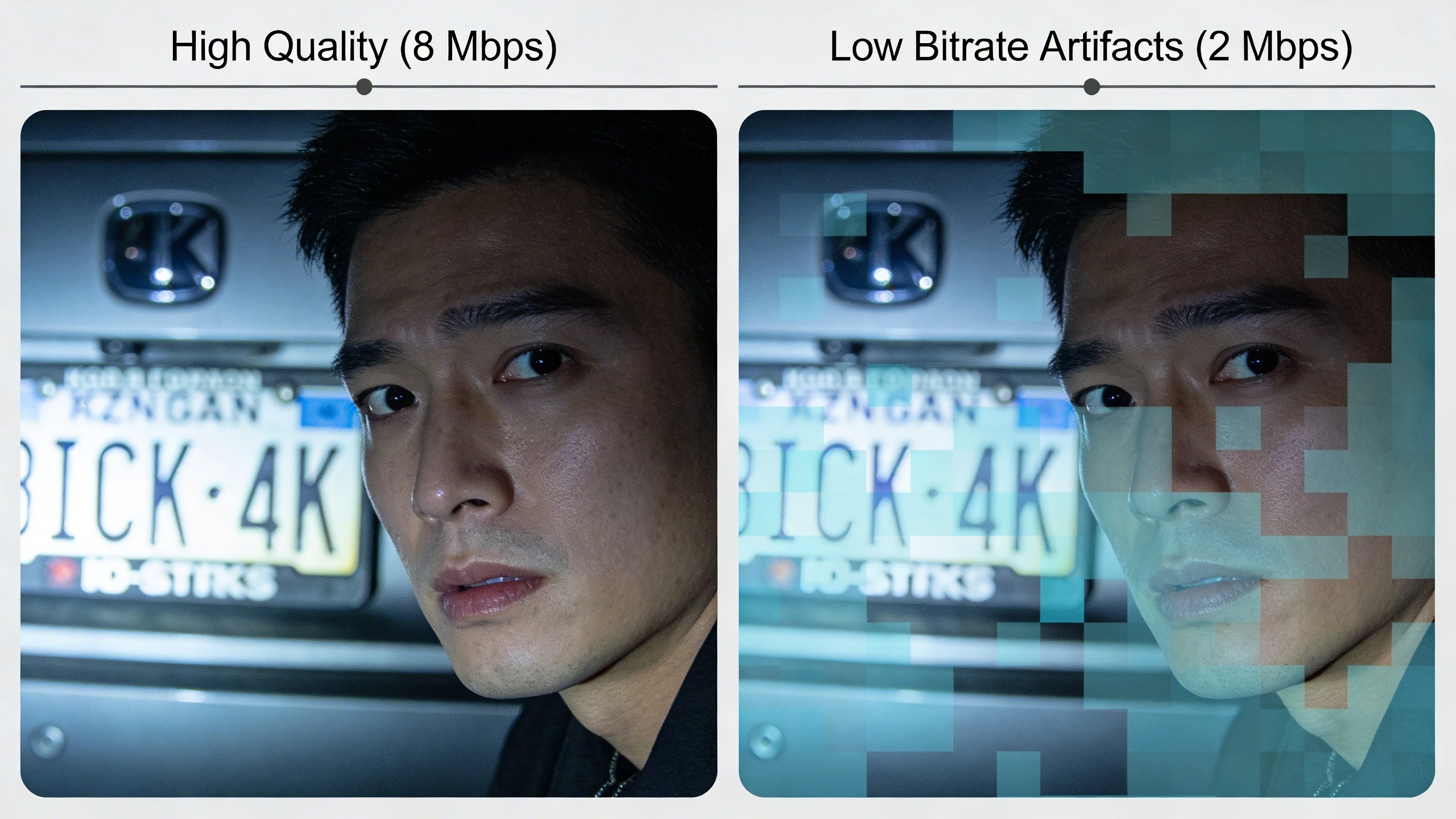
What the design decision looks like in practice
At the retrofit stage for a campus entry system, the decision boils down to encoder ladders: allocate 8-12 Mbps for 4K investigative cams versus 4-6 Mbps for monitoring views. This tiering lets primary channels run H.265 with long GOPs for efficiency, while substreams handle live views at lower rates. In practice, IT managers script bulk config pushes via ONVIF profiles, verifying artifact-free playback on VMS workstations before go-live.
During a utility site migration, teams map camera roles—static gate cams get high-bitrate constant QP modes to capture plate details under glare, while wide-area sensors use CBR with I-frame boosts for motion bursts. Field engineers test by simulating night shifts with vehicles, zooming into compressed clips to confirm no blockiness intrudes on OCR viability. This granular tuning outperforms generic presets, adapting to lens FOV and frame rates without inflating storage linearly.
Tradeoffs emerge in hybrid setups: legacy MJPEG cams demand separate handling to avoid intermixing artifact profiles, as detailed in the MJPEG glossary. Success hinges on documenting these per-zone settings in runbooks, easing handoff to operations.
System architecture and integration considerations
Architecture starts with the encoder-to-NVR pipeline, where camera bitrate caps dictate VMS decoding loads. In a critical infrastructure setup, edge appliances transcode substreams to sidestep backbone saturation, preserving full-bitrate archives on premise. Integrators favor switch fabrics with QoS tags for video VLANs, ensuring compression parameters propagate without jitter-induced macroblocking.
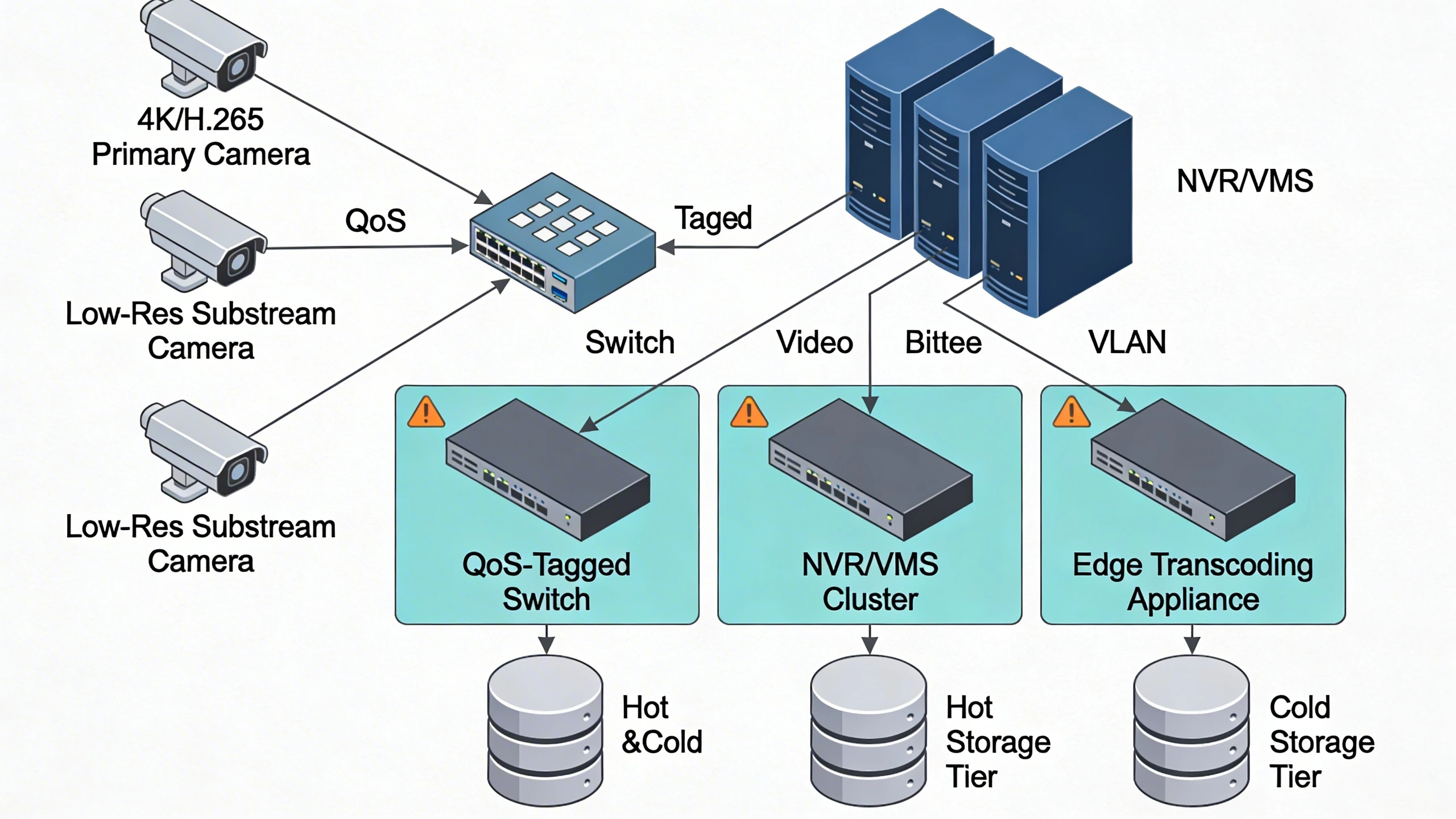
Integration pitfalls arise in multi-vendor chains: mismatched H.264 profiles (e.g., Baseline vs High) trigger decode errors, amplifying artifacts. Scalable designs layer analytics on low-res proxies, reserving bandwidth for raw investigative streams. For FortSense deployments, API hooks automate bitrate audits, syncing camera configs to storage quotas dynamically.
Bandwidth modeling is crucial—calculate peak loads from motion statistics, then pad 20% for bursts. This prevents opportunistic rate control from dipping into artifact-prone regimes during high-activity events.
Operational workflows and field constraints
Operators review clips via timeline scrubbing, where artifacts compound under pause-frame analysis. Workflows emphasize dual-archive strategies: ship low-res to cloud for search, retain high-quality locals for export. Field constraints like solar-powered remote cams force ultra-efficient profiles, balanced by scheduled high-rate bursts during patrols.
In daily ops, maintenance includes periodic GOP resets to clear drift artifacts, scripted via VMS jobs. Constraints tighten at bandwidth-starved sites, prompting edge storage with differential uploads. Training dispatchers to flag suspect clips early preserves chain-of-custody, as compressed exports risk evidentiary challenges.
Common failure points and design mistakes
A top failure is defaulting to VBR without caps, leading to storage overflows and forced transcodes that introduce secondary artifacts. In retrofits, overlooking camera firmware variances causes inconsistent QP mapping, where one model's "high quality" yields blockier output than another's. Teams compound this by skipping motion-vector tests, missing how fast pans smear details.
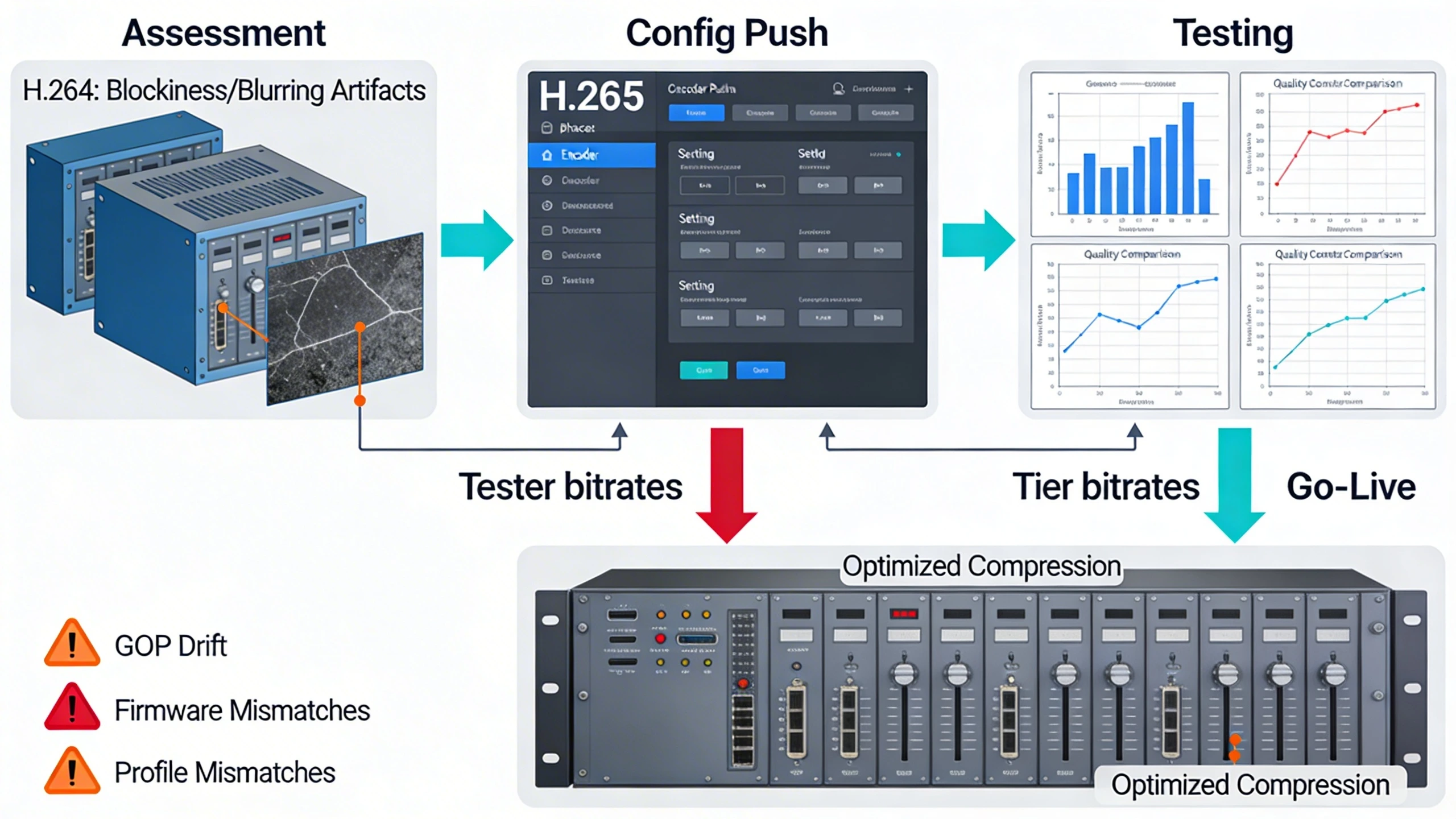
Another mistake: ignoring profile levels in mixed-res chains, where 4K High10 bites into NVR transcoding headroom. Over-reliance on AI upscaling post-compression fails for legal exports, as artifacts persist through neural nets. Pitfalls lists help:
- Validate bitrate ladders across all lighting via side-by-side clips.
- Audit GOP structures for scene-change handling.
- Test forensic zooms on archived footage before scaling deployments.
What to verify before procurement
Procurement checklists target encoder specs: confirm max bitrates per resolution, support for 10-bit color, and CABAC entropy for cleaner edges. Request sample ladders from vendors, testing under WDR scenes to quantify artifact thresholds. Probe NVR decode scalability—does it handle 200 4K streams without frame drops?
Verify ONVIF conformance for profile interchange, and edge cases like low-light noise amplification. Demand real-world MoUs over marketing clips, focusing on post-motion fidelity. Finally, assess upgrade paths for codec evolution, ensuring future-proofing without full rip-and-replace.
- Bitrate/quality curves from vendor labs.
- Third-party decode compatibility reports.
- Artifact metrics under synthetic motion tests.
Where to go next
Explore FortSense 4 for optimized compression pipelines tailored to investigative needs. For custom audits, request a design review. Dive deeper into sector applications via critical infrastructure security case studies, or check North America deployments for regional insights.