When retrofitting a multi-site utility network with IP-based access control and surveillance, the shift to encrypted communications introduces a persistent challenge: certificate management. Devices like door controllers and PTZ cameras generate thousands of TLS handshakes daily, each relying on valid certificates to prevent man-in-the-middle attacks. Without a deliberate strategy, teams default to self-signed certificates, which erode trust in the chain and complicate integration with central management platforms.
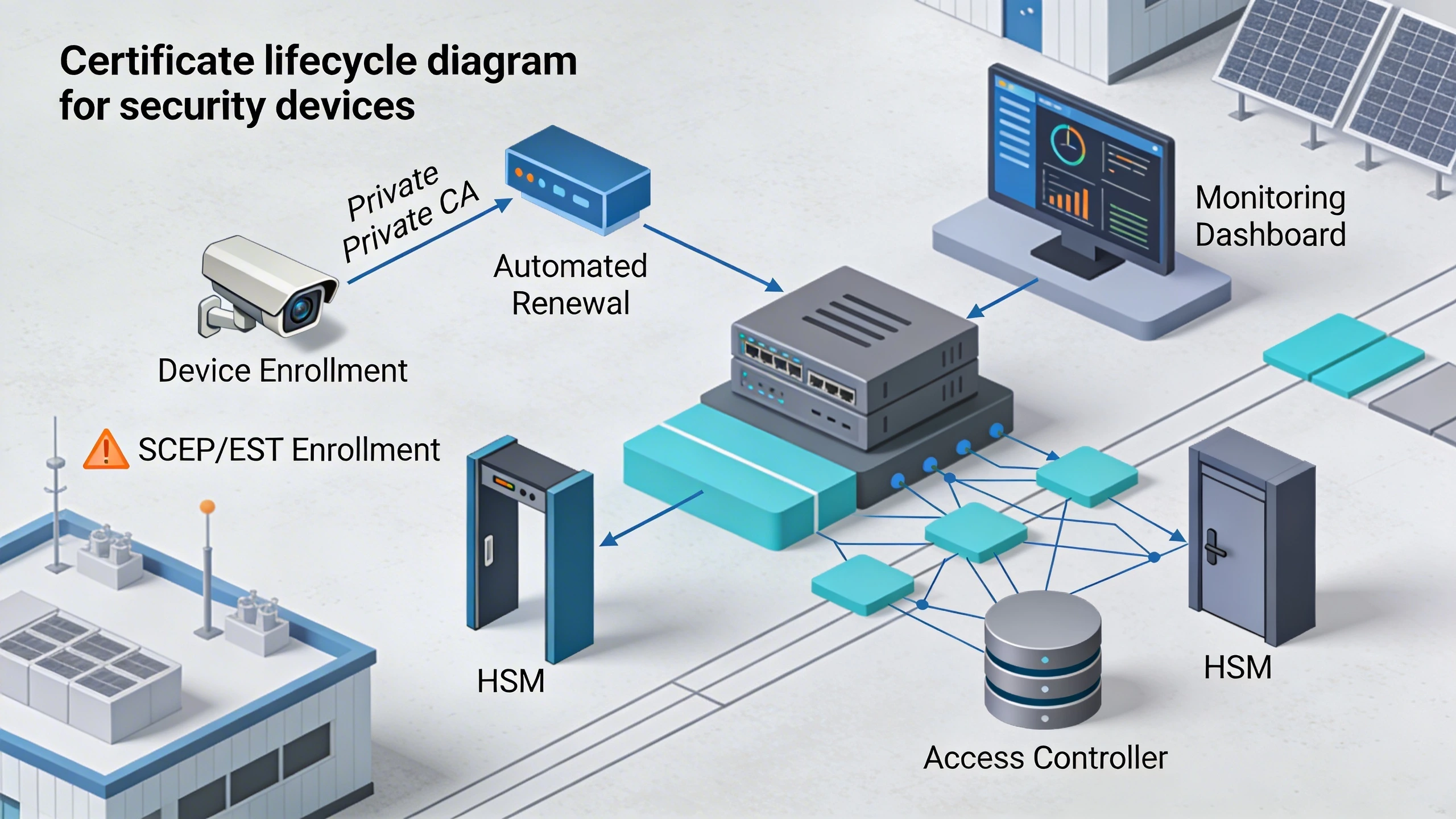
The most effective approach centers on centralized automation using protocols like SCEP or ACME, paired with a private CA integrated into your existing identity infrastructure. This allows short-lived certificates—typically 90 days or less—that rotate seamlessly without field intervention, reducing exposure windows while supporting scale across hundreds of endpoints. In practice, this means provisioning certs during initial deployment via a management console, then handling renewals through scheduled pushes that verify device uptime first.
For a campus-wide upgrade, consider how this plays out: legacy analog systems give way to ONVIF-compliant camerasONVIF, each needing certs for secure streaming to NVRs. Manual processes falter here, as expired certs cascade into video blackouts during shift changes. Automated systems, by contrast, embed renewal logic into the device's firmware, ensuring continuity even in air-gapped segments.
What the design decision looks like in practice
Picture a security integrator tasked with upgrading door access at a data center perimeter. The existing setup uses basic HTTP, vulnerable to eavesdropping. Transitioning to TLS requires certificates on each controller, but the real decision hinges on lifecycle handling. Opt for a push-based model where the management server monitors expiry via SNMP polling and issues renewals 30 days ahead. This mirrors deployments in critical infrastructure, where downtime equates to compliance risks.
In a live scenario, this manifests as a dashboard view: devices color-coded by cert status—green for valid, yellow for nearing expiry, red for failed renewal. Operators click to force a re-enrollment, triggering the device to request a new cert over a secure EST channel. The payoff is evident during audits, where logs show uninterrupted encryption uptime. Teams that skip this for static certs face annual fire-drills, dispatching techs to swap USB drives at remote gates.
Scaling to a 500-door rollout, the design incorporates grouping: vaults for production certs, staging for testing. Firmware updates bundle root CA trust anchors, avoiding per-device tweaks. This practical flow ensures the system self-heals, with fallback to self-signed only in total comms loss.
System architecture and integration considerations
At the core, certificate management demands a hierarchical PKI: a root CA offline, intermediate signing CAs in HSMs, and enrollment endpoints exposed via firewalls. Integrate this with Active Directory or LDAP for subject attributes, pulling device serials into certificate SANs for precise revocation. Security devices, often Linux-embedded, support this through OpenSSL or mbedTLS stacks, but verify ACME client compatibility upfront—not all edge controllers handle Let's Encrypt-style challenges.
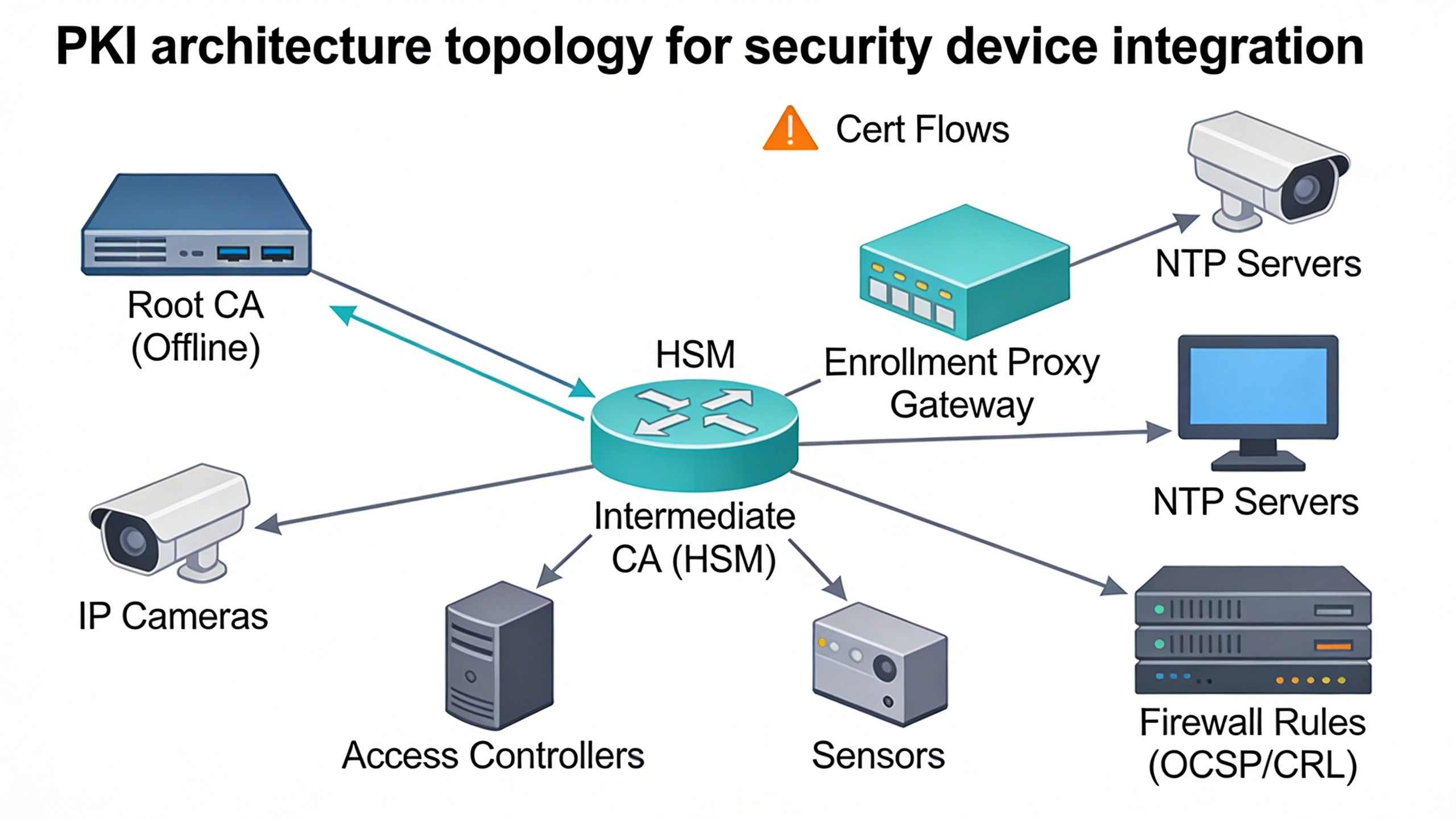
Network topology plays a pivotal role. In segmented designs, VLANs isolate device traffic, with cert validation proxied through a gateway that offloads CRL checks. This prevents devices from phoning home to OCSP responders, conserving bandwidth on 4G backups. For hybrid clouds, federate with Azure AD or similar, mapping device certs to workload identities. The architecture shines in resilience: redundant CAs ensure signing continuity if one fails.
Consider time synchronization too; invalid clocks break cert validation. Pair with NTP stratum servers to keep devices within seconds of UTC, as even five-minute drifts invalidate signatures during handshakes.
Operational workflows and field constraints
Field ops demand workflows that account for intermittent connectivity. Technicians enroll devices via a portable provisioning tool—a Raspberry Pi with captive portal—injecting the initial cert bundle offline. Back online, the device syncs status to the central server, queuing renewals. Daily cron jobs on the manager scan for expiries, pushing updates during low-traffic windows, confirmed by heartbeat ACKs.
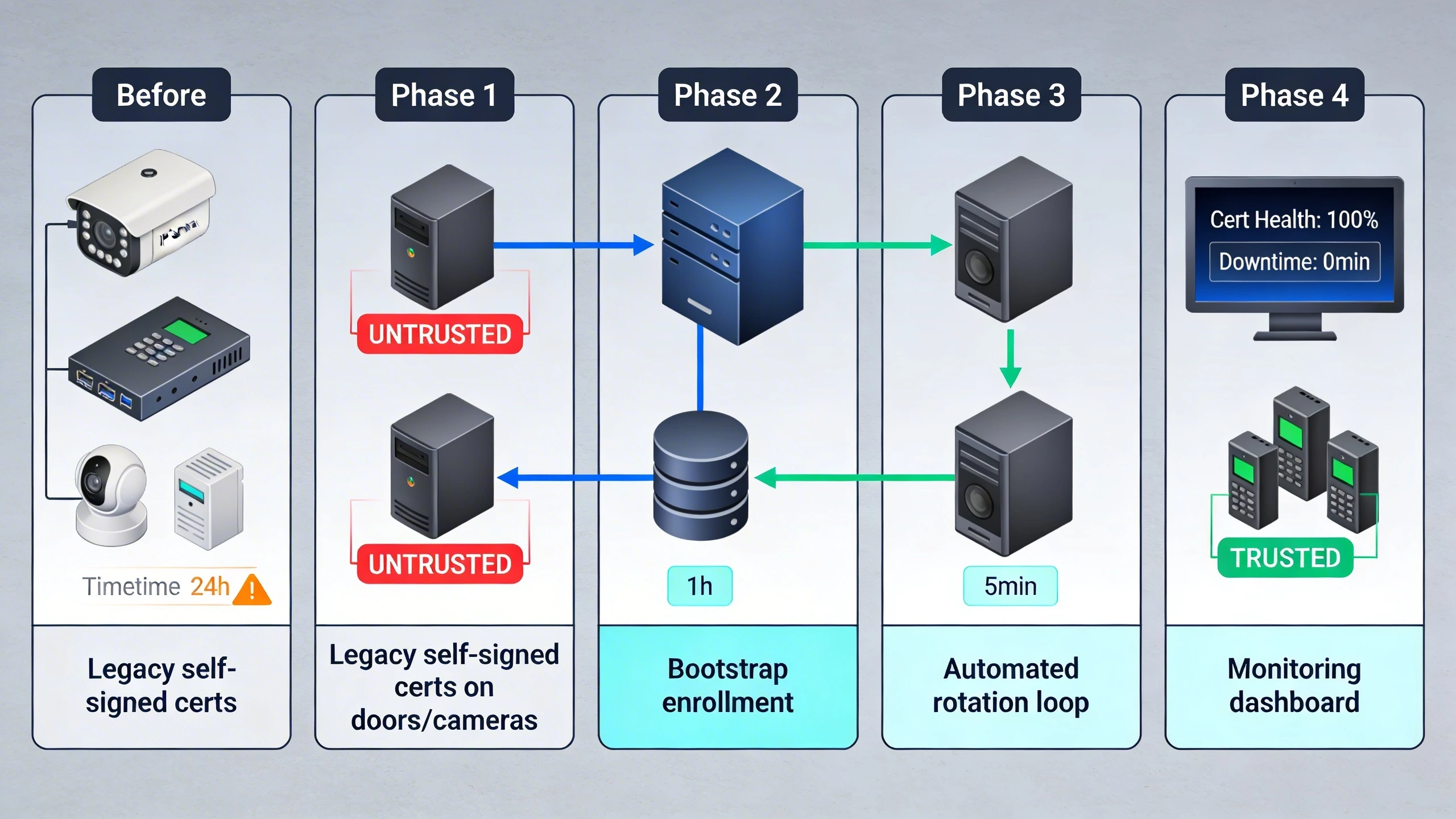
Constraints like power-cycled sensors at remote substations require idempotent renewals: devices replay last-known requests without duplicates. Logging captures every step—enroll, issue, install—for forensics. In practice, this means scripting bulk ops for factory resets post-disaster, where certs rebuild from templates tied to MAC addresses.
Training shifts from ad-hoc to standardized: quarterly reviews of expiry reports, with alerts routed to mobile apps. This operational rhythm sustains uptime in environments where physical access means hours of travel.
Common failure points and design mistakes
One prevalent error is over-relying on public CAs like those for web servers; security devices churn higher volumes, inviting rate limits and mismatched key sizes. Teams provision 4096-bit keys without HSM offload, crippling throughput on resource-starved CPUs. Worse, neglecting revocation lists leads to zombie certs post-compromise, as devices ignore CRLs without persistent storage.
Another pitfall: assuming uniform firmware support. A mixed-vendor camera fleet might embrace SCEP on one brand but falter on CMP for another, stranding segments in manual mode. Design mistake amplifies during migrations—bulk expiry hits without staggered rollouts, blacking out entire zones. Forgetting chain-of-trust propagation means intermediate CAs untrusted, handshakes failing silently.
- Underestimating storage: Edge devices overwrite old certs prematurely.
- Ignoring key rotation: Reusing privates across renewals weakens forward secrecy.
- Poor monitoring: No SNMP traps for expiry thresholds.
What to verify before procurement
Scrutinize device datasheets for protocol support: Does it implement RFC 8894 for EST enrollment? Check firmware roadmaps for ACME v2, essential for automation. Probe management APIs—RESTful endpoints for cert status beat proprietary GUIs. Ensure key generation happens on-device, not pre-baked, to avoid supply-chain risks.
Test interoperability in a lab mimicking your topology: VLANs, firewalls, NAT. Validate against your CA hierarchy—custom OIDs in extensions for asset tagging. Review MTBF for TPM/HSM modules; cheap ones fail under thermal stress. Procurement checklists should flag vendor lock-in, like refusing CRL distribution points.
- Certificate profiles: ECDSA vs RSA, curve sizes.
- Renewal autonomy: Offline capable?
- Audit logs: Cert events timestamped and exportable.
Where to go next
Deploying certificate management in your environment? Explore FortSense 4 for integrated PKI workflows tailored to security fabrics. For North America deployments, connect with our team via Request a design review to map this to your sites.
Image Production Brief (Internal - Remove Before Publish)
Recommended image count: 3
- Placement: After the introduction
Insert After: Introduction
Purpose: Visualize the high-level certificate lifecycle flow to ground the retrofit scenario early, helping readers map to their deployments.
Prompt: Diagram showing certificate lifecycle for security devices: device enrollment via SCEP/EST to private CA, automated renewal pushes, monitoring dashboard, with icons for cameras, doors, HSM, and network segments in a utility site topology.
Alt Text: Certificate lifecycle diagram for security devices - Placement: After 'System architecture and integration considerations'
Insert After: System architecture and integration considerations
Purpose: Illustrate PKI hierarchy and network integration to clarify segmentation and proxying concepts discussed in the section.
Prompt: Network topology diagram: Root CA (offline), intermediate CA in HSM, enrollment proxy gateway, VLAN-separated devices (cameras, controllers), NTP servers, firewall rules for OCSP/CRL, arrows for cert flows.
Alt Text: PKI architecture topology for security device integration - Placement: After 'Operational workflows and field constraints'
Insert After: Operational workflows and field constraints
Purpose: Depict a migration sequence from manual to automated cert management, highlighting phased rollout to underscore workflow resilience.
Prompt: Migration diagram: Phase 1 legacy self-signed certs on doors/cameras; Phase 2 bootstrap enrollment; Phase 3 automated rotation loop; Phase 4 monitoring dashboard; before/after views with downtime minimized.
Alt Text: Certificate management migration diagram from manual to automated